Back to manual list
Make sure Stellar is running on your system. If you have any questions, please refer toWindowsSystem Setup UbuntuSystem Setup MacSystem Setup Linux CliSystem Setup
Native Windows Console
Open a windows console
set http_proxy=http://127.0.0.1:8123
set https_proxy=http://127.0.0.1:8123
MinGW/Cygwin Console
Open a MinGW/Cygwin console
export http_proxy=http://127.0.0.1:8123
export https_proxy=http://127.0.0.1:8123
Test the connection
curl -sSL http://google.com
Global Settings
The above methods only applies to the current console window. To set proxies persistently, follow the instructions below
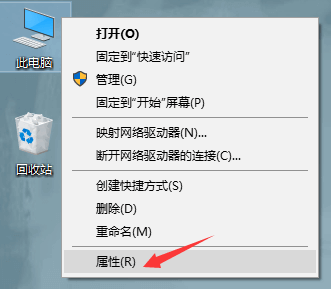
Click 'Properties'
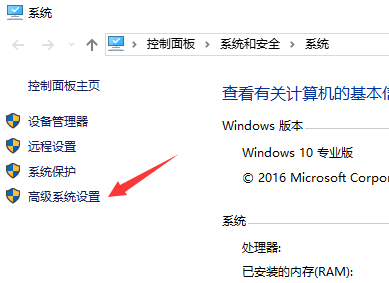
Click 'Advanced system settings'
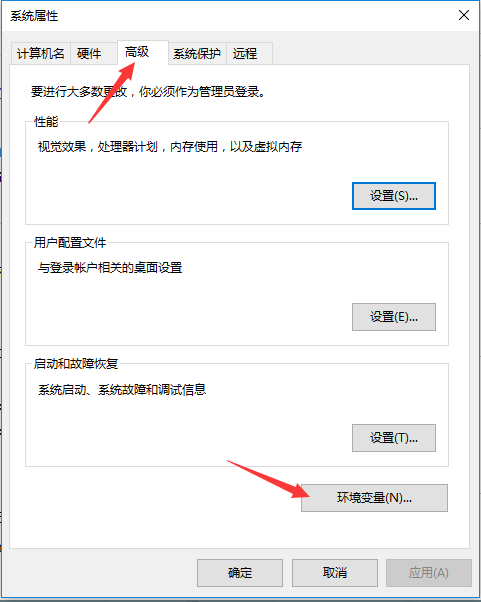
Click 'Environment variables'
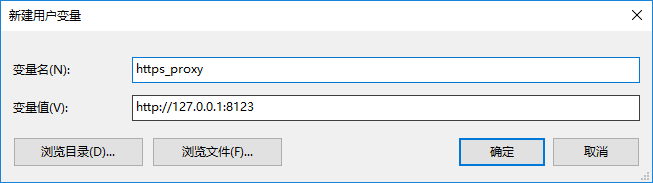
Click 'New'
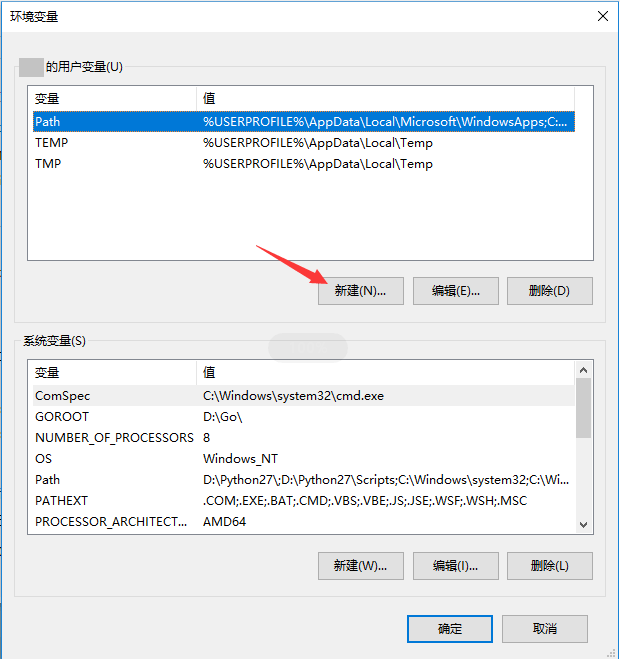
Input proxy for both http_proxy and https_proxy
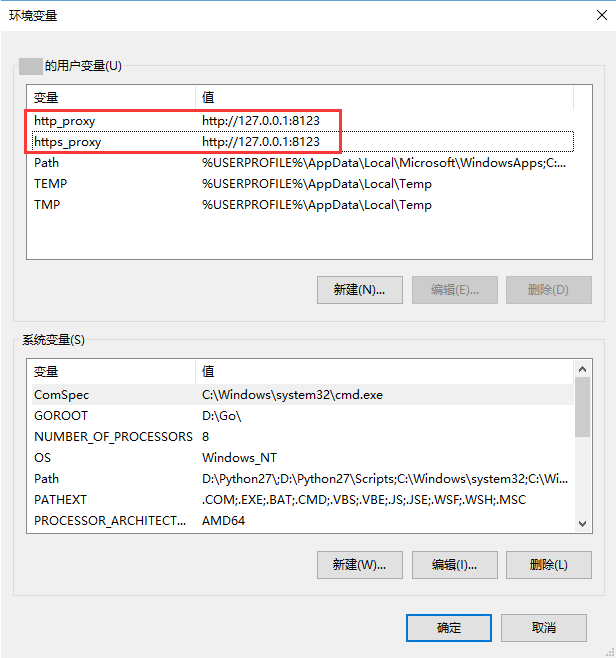
Click 'OK'
Back to manual list