Back to manual list
Download the AppImage (works on Fedora / RHEL / Arch and every other distro)
Make it executable (or right-click - Properties - Allow executing as a program)
chmod +x Stellar-*.AppImage
Run it. On first launch a password prompt installs and starts the background helper service; after that just open it normally.
./Stellar-*.AppImage
If it complains about FUSE (newer Ubuntu / Fedora): install libfuse2, or run it with --appimage-extract-and-run.
./Stellar-*.AppImage --appimage-extract-and-run
After signed in, enter the dashboard and select any line and computer mode to connect
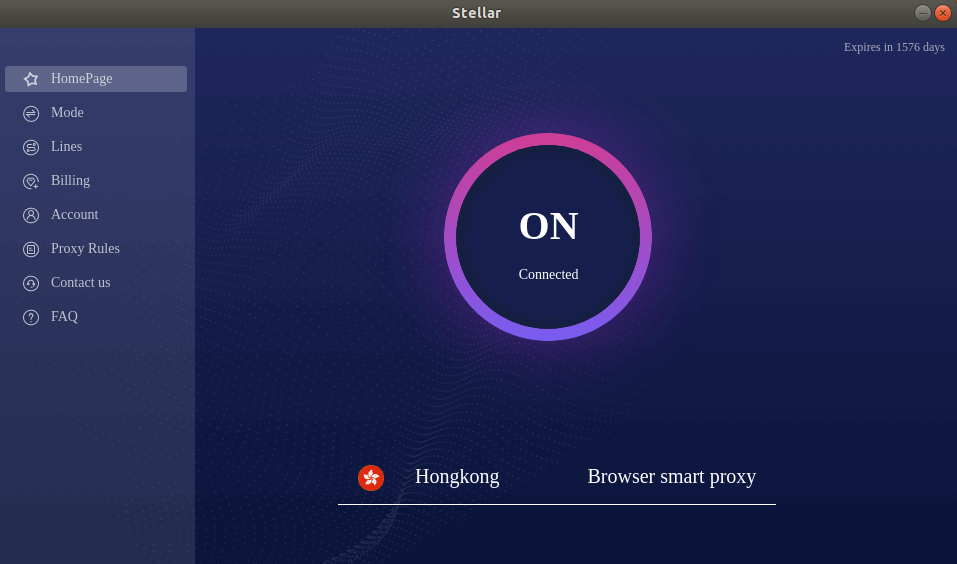
For proxy browser only, please checkChrome settings
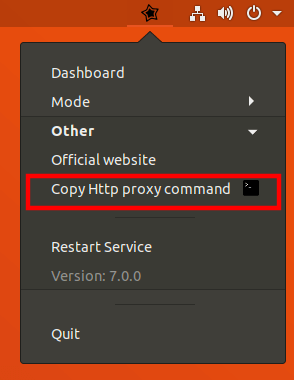
If you need to proxy CMD only, copy the http proxy command and paste on CMD
Back to manual list