Back to manual list
Make sure Stellar is running on your system. If you have any questions, please refer toWindowsSystem Setup UbuntuSystem Setup MacSystem Setup Linux CliSystem Setup
Download plugin SwitchyOmega
Enter the chrome 'Extension' page, set on the 'Developer Mode' button from top right of the page and refresh.
Drag the file 'SwitchyOmega_Chromium.zip' into the Chrome plugin manager window., The following dialog should popup
Enter SwitchyOmega configuration page, click the 'import/export' button, press the online restore file link and then click the restore button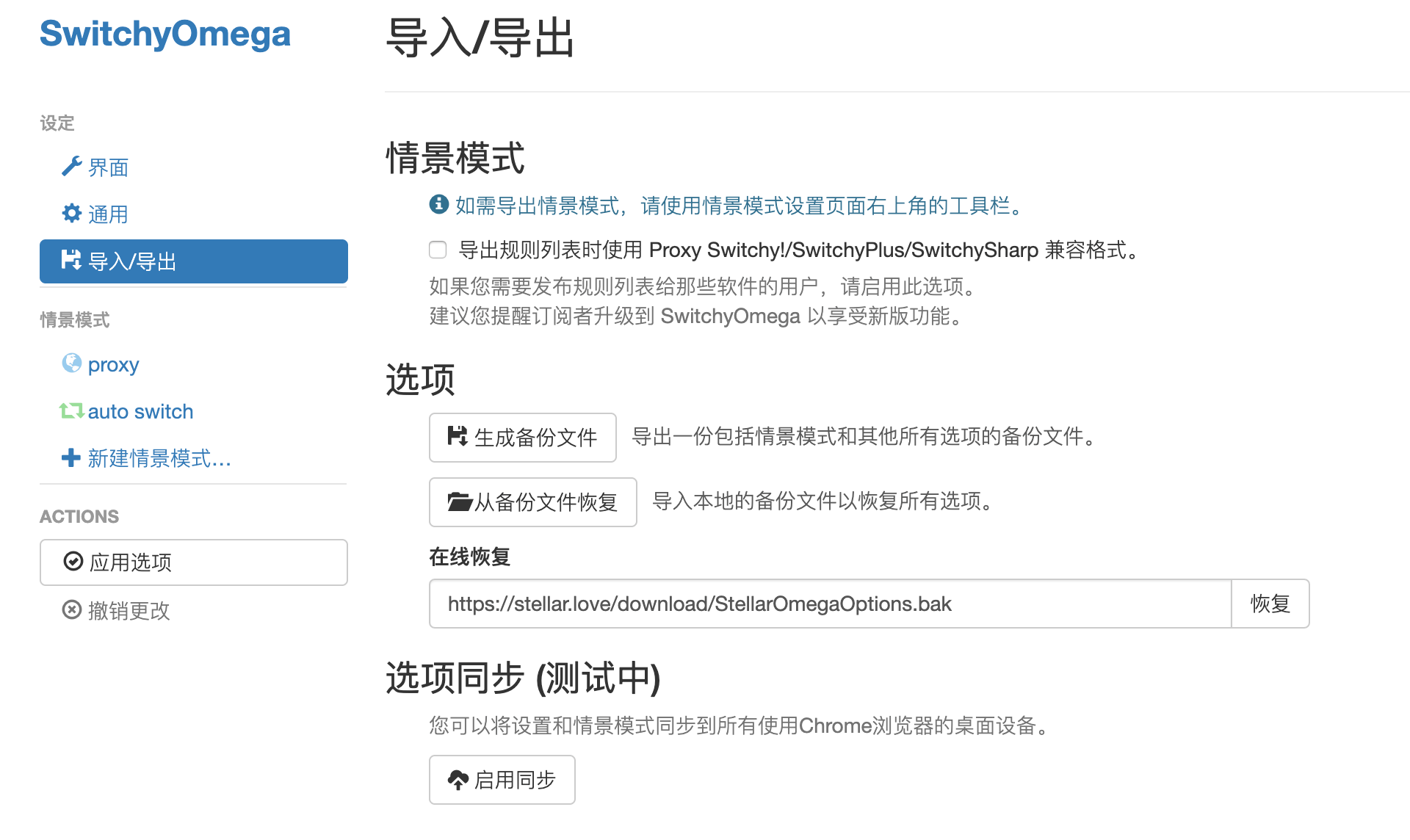
The online restore file link is
https://st00.xyz/download/StellarOmegaOptions.bak
Your browser is now in Smart Mode, routing only selected websites through Stellar's overseas servers. Switch to Global Mode to route all traffic.
Back to manual list