Back to manual list
Make sure Stellar is running on your system. If you have any questions, please refer toWindowsSystem Setup UbuntuSystem Setup MacSystem Setup Linux CliSystem Setup
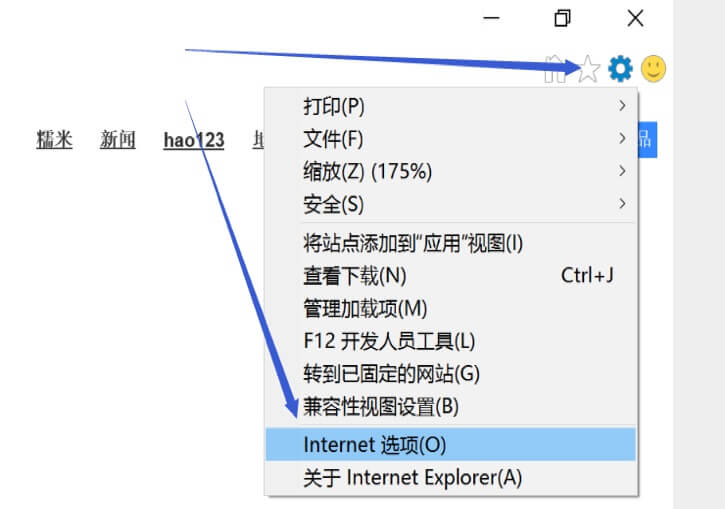
Click on the browser 'Settings', 'Internet Option'. As shown in image
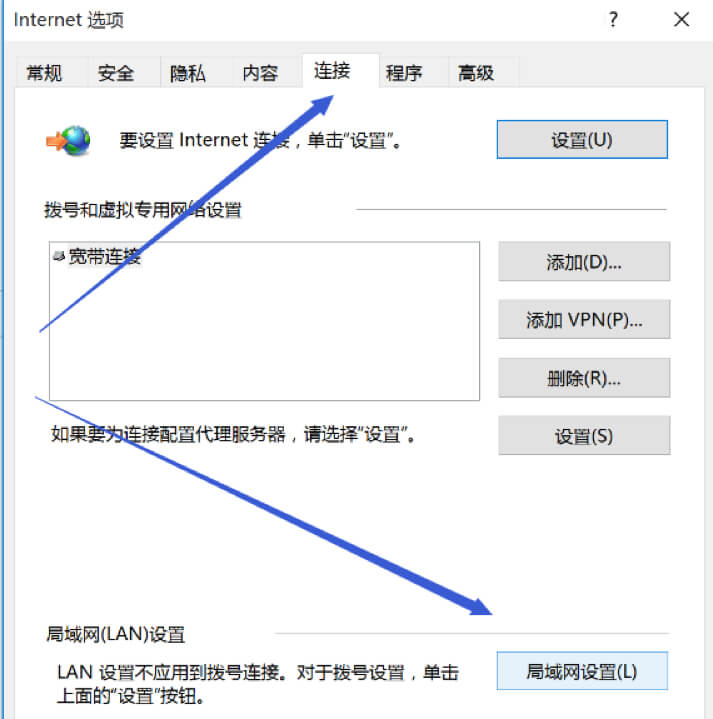
Click on 'Connection', 'LAN settings'. As shown in image
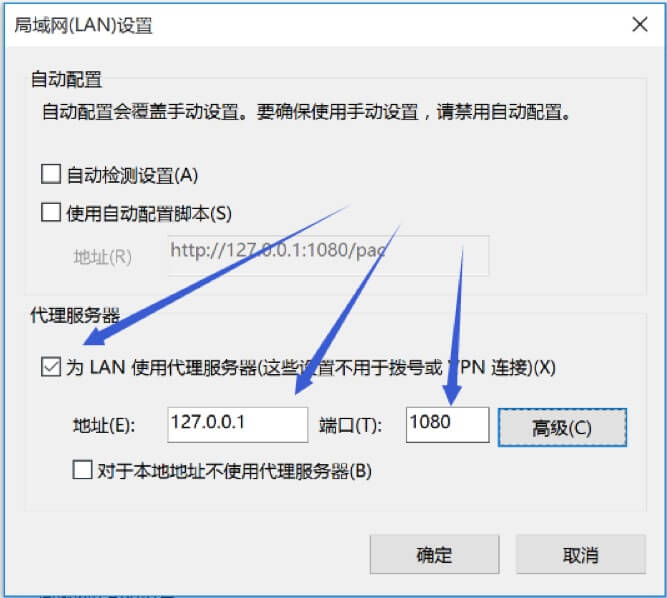
Global Mode: In the 'Proxy Server' dialog box, select 'Use a proxy server for the LAN'. And enter '127.0.0.1' in the address bar. Type '1080' in the Port field. As shown in image
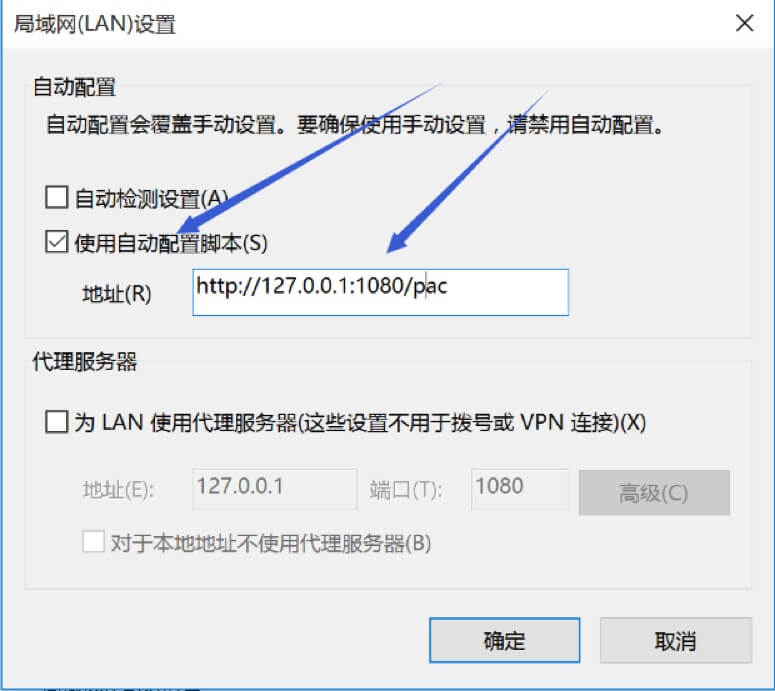
Smart Mode: In the AutoConfiguration dialog box, select 'Use automatic configuration script'. Type 'http://127.0.0.1:1080/pac'. As shown in image
Back to manual list