返回使用说明
Windows原生命令行
打开Windows命令行窗口
set http_proxy=http://127.0.0.1:8123
set https_proxy=http://127.0.0.1:8123
MinGW/Cygwin命令行
打开MinGW/Cygwin命令行窗口
export http_proxy=http://127.0.0.1:8123
export https_proxy=http://127.0.0.1:8123
测试连接
curl -sSL http://google.com
全局设置
以上两个方法都只对当前命令行窗口有效,如果要永久设置代理,请参照以下步骤
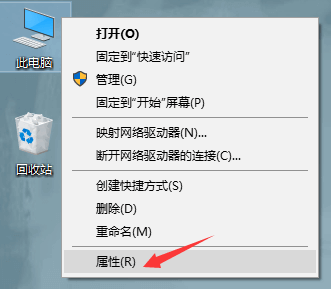
点击“属性”
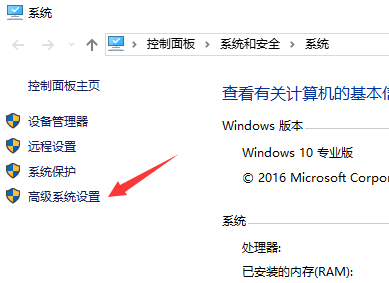
点击“高级系统设置”
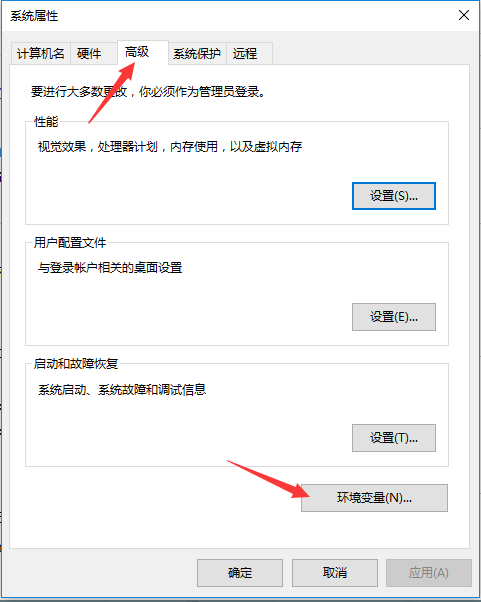
点击“环境变量”
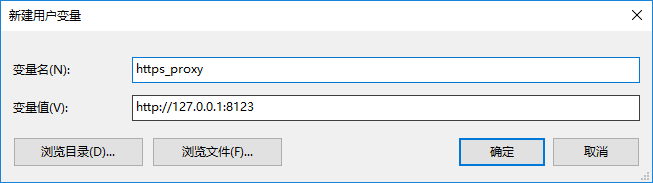
点击“新建”
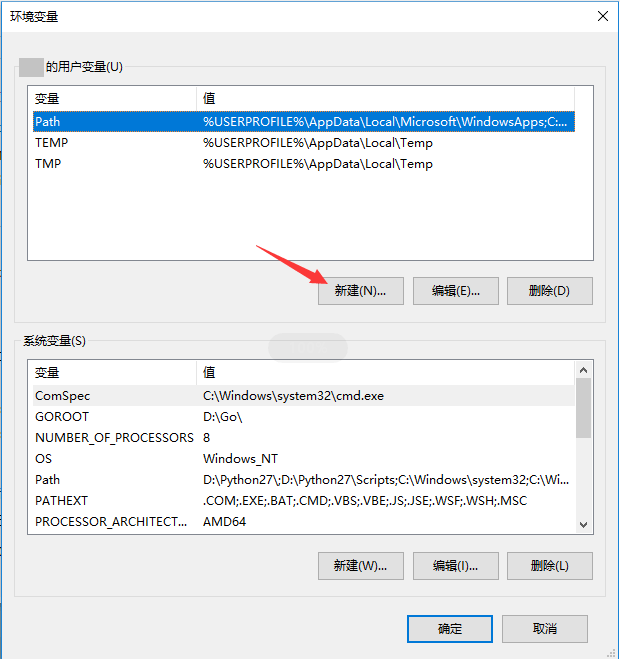
输入http_proxy和https_proxy的代理
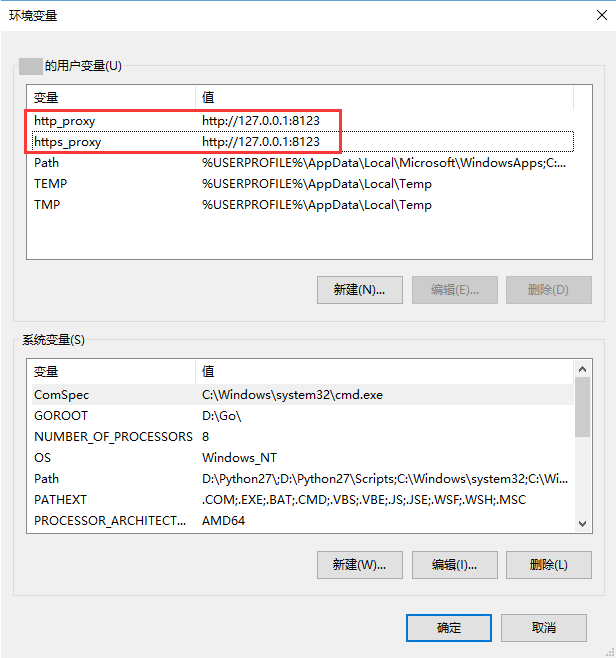
点击“确定”
返回使用说明